
Start with the action the customer needs to take
A welcome video has a job. For a new small-business customer, that might be understanding the first setup task or finding the right place to start. A polished greeting is useful only when it makes that next action easier. Before choosing a presenter, script or integration, write one sentence describing what the person should understand or do after watching.
This walkthrough uses a hypothetical account-created event. It is a planning recipe, not a customer case study or a claim that a campaign ran without intervention. The creative example is prepared financial-services footage. The principles apply to other onboarding journeys, but each deployment needs its own permission, content and output checks.
Make the trigger dependable before making the video personal
Start with the system that already owns the account-created event. Decide when the event becomes eligible for a welcome: an account may exist before verification finishes, a record may be duplicated, or a customer may already have completed the first task. Your integration should make that decision before requesting more work.
Use a stable event identifier and keep the resulting workflow identifier with it. A retry should be an intentional recovery, not a second welcome. Agree what happens when the event arrives late, when the account is no longer eligible and when the creative operation fails. Keep the existing non-video welcome available while validating the new path.
| Decision | Example choice | Owner |
|---|---|---|
| Trigger | Eligible account-created event | Customer system |
| Duplicate handling | Reuse or suppress by event identifier | Integration |
| Permission to contact | Consent and suppression checks | Delivery platform |
| Failure fallback | Existing non-video welcome | Journey owner |
Use the fields that earn their place in the story
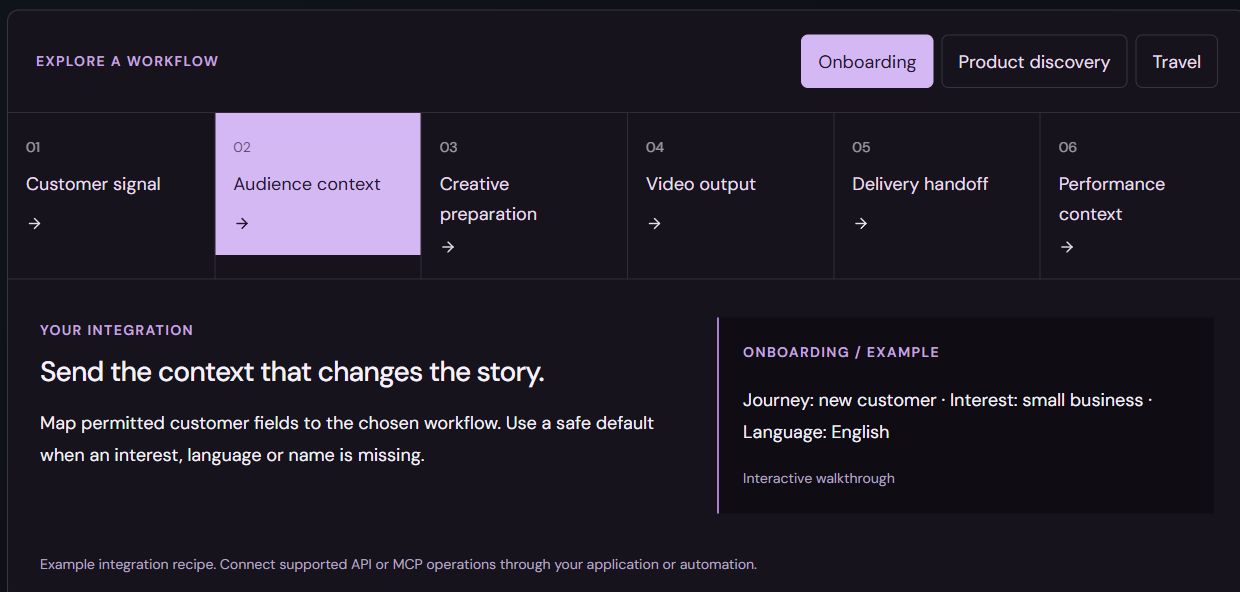
A first name is optional. The customer’s task, interest and journey stage often matter more. For this example, small-business interest changes the framing of the opening; the onboarding stage sets the message; a supported language choice determines which reviewed creative family is appropriate. Send the fields that improve that decision rather than copying an entire customer profile.
Every field needs a default. An unknown interest should select a reviewed general welcome. A blank name should produce a natural sentence. An unsupported language needs an explicit handling rule, not an assumption that translation and voice generation will complete automatically. Preview the ordinary case and the missing-data case together.
- Required: a reliable event and an eligible workflow.
- Useful: journey stage and a relevant interest.
- Optional: a recipient name with a neutral fallback.
- Reviewed together: language, voice, script and compatible scenes.
Prepare the creative foundation and the choices that change it
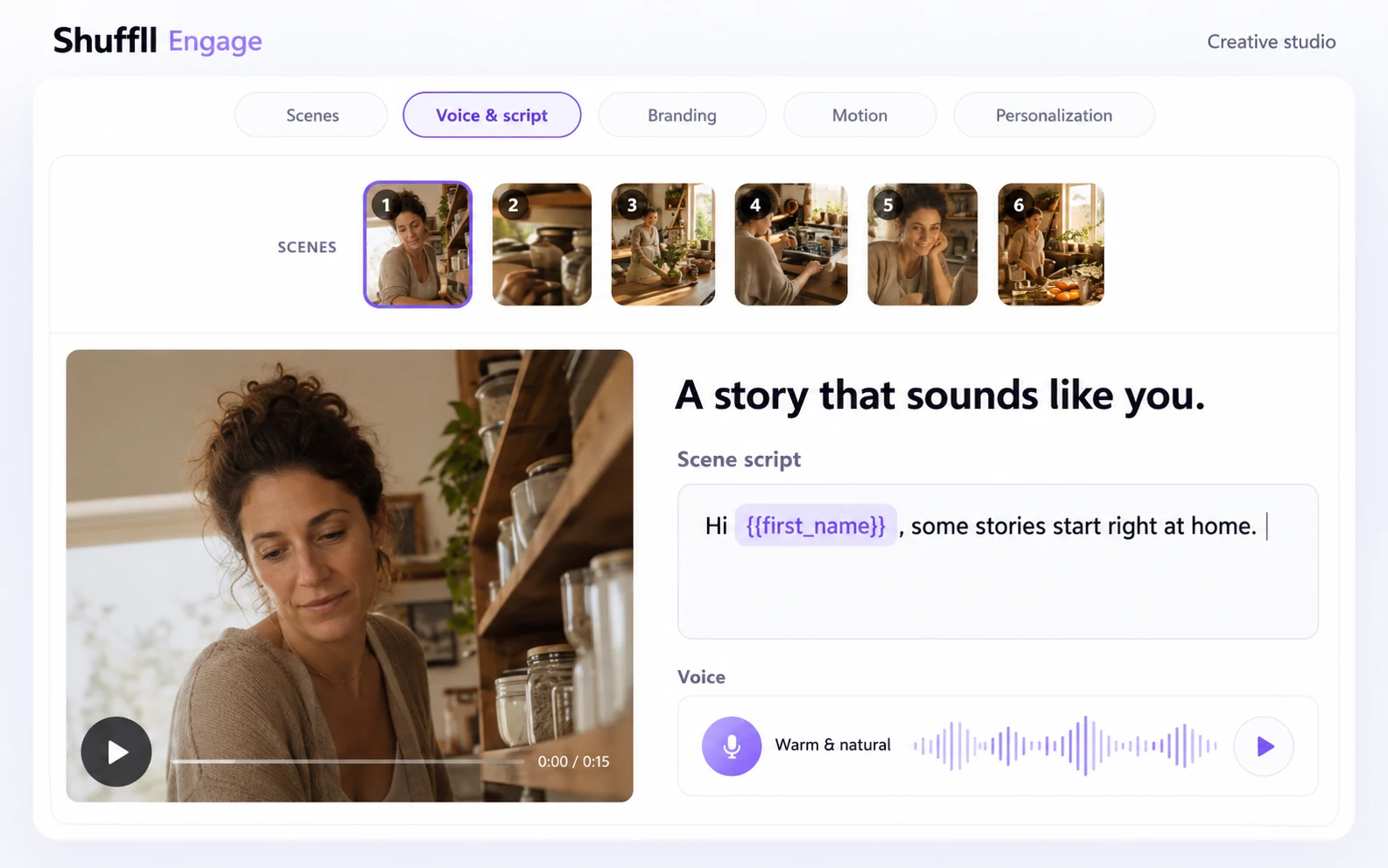
Build the story in the Engage creative workspace. Keep the opening short, explain one useful step and connect the ending to the destination the customer will reach. Review brand, script, scenes and voice together. A consistent foundation makes it easier to judge whether an audience variant improves the message or merely makes it different.
The screen below is an edited staging capture showing a scene, script and voice control. It helps explain the creative work; it is not a recording of this onboarding integration. Keep prepared alternatives compatible. Changing an actor, spoken delivery or language can affect scene timing and meaning, so inspect the resulting creative rather than approving field mappings alone.
Choose the actual operation before drawing the automation
An architecture diagram should describe the interface you can call today. Use REST for supported software operations and MCP through a compatible assistant for the tools available to that workspace. Check capabilities, authorization, readiness and the exact input and output contract before connecting an unattended event.
Workspace personalization and the published fixed-video REST/MCP V1 contract are separate. A recipient record in V1 does not itself personalize the rendered video or send a message. If the task requires workspace variant selection or an export event, verify that specific path rather than joining two different interfaces into an imaginary end-to-end API.
Keep an explicit review gate where your process needs one. The approved creative, audience defaults, budget and intended output should be clear before production starts. A compatible agent can assist with supported stages, but an assistant’s recommendation is not permission to generate or launch a campaign.
Return a usable result to the existing journey
Track the operation to a clear outcome. On success, keep the output reference and the identifier your downstream system will use. On failure, route a useful status to an owner and avoid continuing with a missing video. Workspace export webhooks can report recipient_exported, recipient_failed and all_exported under their documented contract; they do not establish message delivery.
Your delivery system still owns suppression, scheduling, sending and its channel-specific requirements. Decide how the video will appear in that channel: a linked destination, an application experience or another supported presentation. Do not assume every email or messaging client can play the same video inline. Test the actual customer destination, including a failed or unavailable output.
Measure the first useful action, then improve the brief
Decide what success means before the first send. Completion rate can help diagnose the creative, but the onboarding question is whether the customer reaches the intended next step. Use a defined comparison group, an agreed observation window and a consistent definition of exposure. Keep delivery, playback and business outcomes as separate signals.
Join those signals using identifiers rather than assuming an export event proves someone watched. Review the evidence with the people who own the journey. If a shorter opening appears useful, record the finding, the audience and the limitations, then use it to inform the next brief. This is a deliberate improvement process, not a claim of a built-in autonomous optimization loop.
A few useful answers.
Is this a ready-made native CRM connector?
No. It is a workflow recipe for your application or integration. Validate the required operations and ownership before treating it as a deployed connection.
Can our team review the creative before production?
Plan the review gate explicitly and enforce it in the configured workflow. The available tools and approvals depend on the workspace and integration contract.
Does an export event mean the welcome reached the customer?
No. Export, sending, delivery, playback and the customer’s next action are distinct outcomes and should be measured separately.
Sources & further reading
Read the product guides for the supported workflow and current release boundaries.
Engage REST API contractEngage MCP contractWorkspace export eventsPerformance and evaluationMake the next question practical.
Bring your brief, audience and delivery requirements.